
100buy Spreadsheet: find the right device fit
Product discovery and a complete 100buy buying guide, with practical checks for cases, straps and other device add-ons.
Browse the 16 product categories
Use a category to find the item, then check its seller, variant and delivery eligibility. Photos illustrate categories, not inspected or guaranteed stock.
 Sneakers
 Outerwear
 Hoodies
 T-shirts
 Jeans
 Sweatpants
 Womenswear
 Jerseys
 Bags
 Hats
 Belts
 Eyewear
 Perfume
 Jewellery
 Watches
 Electronics
What is a 100buy Spreadsheet?
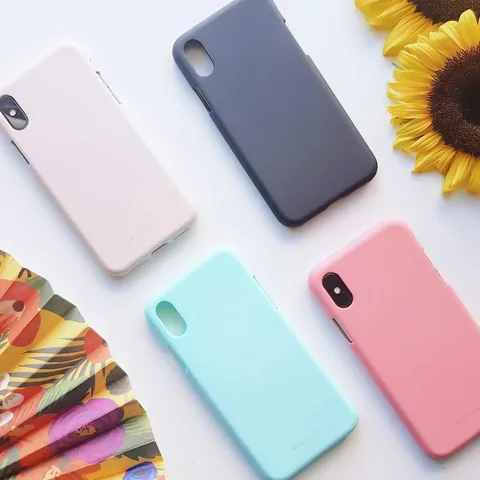
A 100buy Spreadsheet helps you browse seller listings by product type. Model Match concentrates on accessories: a phone case, watch bumper or controller shell must match a particular device, not merely resemble the photograph. Use the catalog to find candidates and keep the device identifier beside the selected option.
What is 100buy?
100buy is a shopping agent: it purchases from the selected seller, receives the goods in its warehouse and helps arrange an international parcel. The seller supplies the product; you choose the variant, review the warehouse evidence and approve shipping.
Why use this Spreadsheet?
Use the catalog to narrow your search, then use this site’s specialist checks to understand the listing before spending. Product discovery, seller claims and warehouse inspection answer different questions.
Understand the complete buying process →How to buy through 100buy
Know what happens between choosing a product and receiving the parcel. The guide follows the purchase, warehouse and delivery stages, with a worked example using a phone case.
Read the buying guide →- Before paymentConfirm the seller link, variant, restrictions and full budget.
- At the warehouseCompare the received item and request the missing detail.
- Before international releaseResolve problems, choose packing and review the actual shipping quote.
A model name is only the beginning
This catalog guide helps you connect a listing to the device you actually own. The fit card identifies the details to check; it never claims that a photograph proves compatibility. Buying, inspection and shipping decisions stay part of the same journey.
Open: Device fit card: name the device, then the add-on
Device fit card: name the device, then the add-on
How to use the tool: tap the device you own, then the kind of add-on you are looking at. The card lists the two or three things that decide whether that add-on fits, where each one is usually printed or shown, the near-misses that catch buyers out, and one line each on what a 100buy stock-in photo can and cannot settle.
It asks for no model text and gives no yes or no. That last step is yours: hold the card against the option name in the listing and against the device on your desk. Add-ons that make no sense for a device (ear tips for a laptop, say) gray out.
The card appears here once the page script has run.
Choose the next detail to check
For an existing order, use 100buy’s official account and support. This independent guide cannot view orders or process refunds.