Watch straps and bumpers that follow the case on your wrist
A smartwatch band fits a connector and a case size, not a family name. This page covers where the size is written, how the size groups work and the number that means two things.
Smartwatch bands and the connector at each end
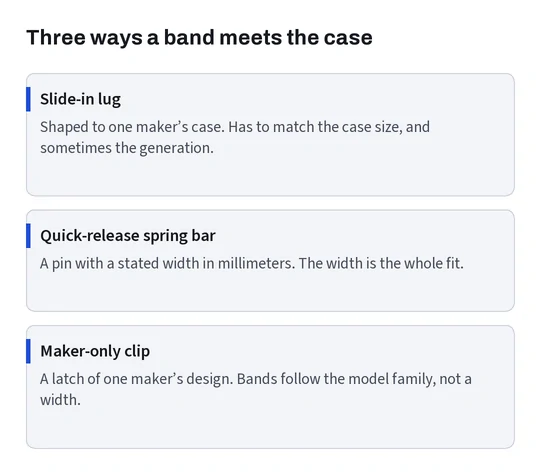
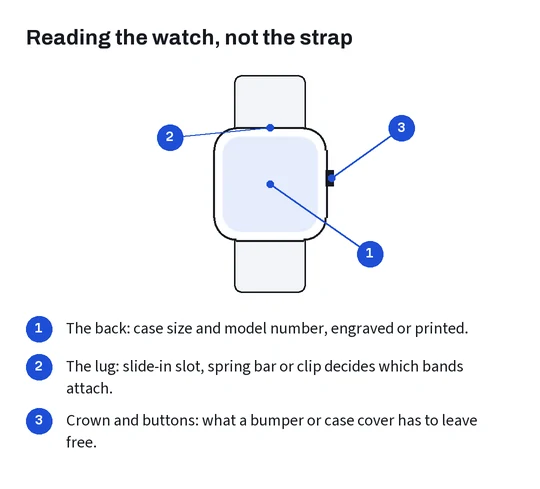
A band joins the watch at two points, and the join is where fit is decided. Smartwatches use roughly three kinds of join: a slide-in lug that only that maker’s bands use, a quick-release spring bar with a stated width in millimeters, or a clip of the maker’s own design. A band for one kind will not attach to another, whatever the listing photo suggests.
For watches with a maker-only lug, the band also has to match the case size, because the lug is shaped to the case. For spring-bar watches the width is what matters, and a band of the right width usually fits regardless of the watch it was photographed on. Ordinary watches work the same way: their straps go by the distance between the lugs, a measurement rather than a model.
So the first question in a band listing is which connector the option uses, and only then which size.
Case sizes and the groups they fall into
A band for a maker-only lug follows a case size group. The groups are published, but the numbers have not stayed put.
One watch maker’s band page sets the groups out plainly: bands for 38mm, 40mm and 41mm cases are compatible with each other, bands for 42mm, 44mm and 45mm cases are compatible with each other, bands for 46mm cases fit 44mm, 45mm and 46mm cases, and the largest 49mm case shares its bands with the 44 to 46mm group.
Now open the same maker’s identification page: its recent watches come in 42mm and 46mm, and the 42mm one is the smaller of the two. The 42mm in the band groups belongs to early watches that sat in the larger group. The band page, as read on 19 October 2026, does not separate the two. A listing option that only says 42mm therefore leaves the question open, and the answer depends on the generation of your watch.
The practical rule: read the case size and the generation from the back of your watch, then look for an option that names both, or a size chart picture that shows which watches the seller means.
Where the case size is written
Most smartwatches carry the case size on the back, engraved or printed beside the model number, and the watch maker quoted above tells owners to check that engraving. The settings app on the paired phone shows the same model, and the box label repeats it.
Region adds a wrinkle you have already met on the model numbers page: the identification list gives each case size one model number for North America, Europe and Asia Pacific and another for China mainland. A listing written in China may print the mainland number. Same size, same band.
Band length is a separate choice. Many band listings offer two lengths for small and large wrists on top of the case size option. That is about your wrist, not your watch, and the two options are easy to confuse when both are written as letters.
If the watch is second-hand or came without its box, the engraving is the one reliable source: listing photos under the same family name can show either size.
Bumpers and screen guards for the watch case
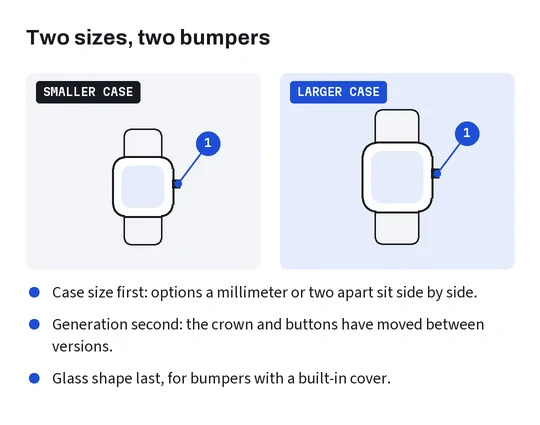
A bumper wraps the case itself, so it follows the case size and the generation: buttons, the crown and the sensors on the back have moved between generations even when the size stayed the same. Some bumpers include a glass cover over the screen; those also follow the shape of the glass, flat or curved at the edges.
Separate screen films follow the case size and the glass shape and nothing else. They are the cheapest add-on in this family and the one most often bought in the wrong size, because the size options sit next to each other and differ by a millimeter or two. Bumper listings that show the watch from the side, crown visible, are the ones to trust.
As with phones, the add-on to avoid is one that prints the watch maker’s logo on itself. A plain bumper for your case size does the same job.