
Buying guide · reviewed 22 October 2026
A 100buy order from device model to delivered accessory
A practical order walkthrough using a phone case. The sequence follows 100buy’s public purchase and warehouse guidance; the example explains decisions rather than promising a particular product or outcome.
01
Identify the device and the exact add-on
Before searching for a phone case, record the complete device model and generation. A family name can include different body sizes, camera layouts and regional versions. Compare the seller’s option wording with the model on your device. The fit card points out the places worth checking; it does not look up your device or certify a match.
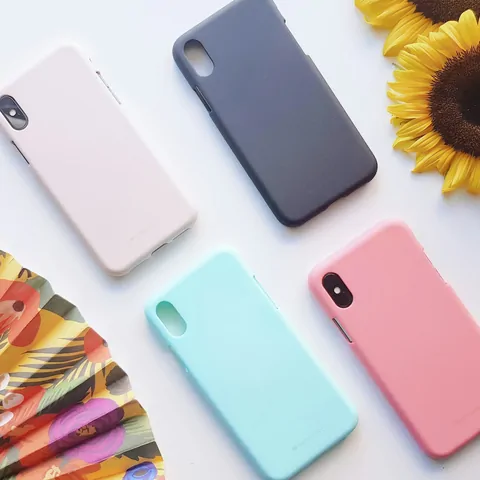
Write an identifier that survives a translated title
Record the complete model code, generation, body size and any cover already fitted to the device. Keep a reference photograph of the ports. A seller’s compatibility answer should name that exact code; “fits the Pro” still leaves the generation and size unresolved.
02
Carry the selected variant into the agent order
Save the original product link and option screenshot, then open it in 100buy. Check that the loaded page is the same seller item. Re-select colour, model and quantity if needed. If the option list is ambiguous, ask for clarification before paying; a note saying “the usual one” is not an exact order instruction.
Check the option, not just the loaded headline
After pasting a link, compare the seller and item with the original listing, then read the selected option again. A shared listing may cover a case, a screen protector and a cable. If the option image or price changes, resolve that before paying rather than relying on an order remark to override it.
03
Keep the product budget separate from postage
Your first checkout covers the item and its domestic journey. The later parcel payment covers international shipping and selected services. A cheap case may cost more to deliver alone than with an eligible parcel, but consolidation is not automatically cheaper. Review actual weight, packing and route terms when the item reaches the warehouse.
Calculate the cost of a usable accessory
Record the CNY item price, local delivery, chosen photo services and a destination shipping estimate. Include any necessary local adaptor or fitting work separately. Cheap postage cannot make an unverified accessory useful; keep enough budget to resolve the model question before international dispatch.
04
Ask for a check the warehouse can actually perform
100buy’s public inspection pages describe limited visual checks and exclusions for electronic products. Ask for a readable model label, the camera opening and the button cut-outs. Do not expect an inspector to test the accessory on your exact device, power on electronics or verify hidden components inside a sealed package.
Use two images to test one claim
Compare your device reference with a close-up of the received accessory’s printed model label and a view of its openings. These check different things. If the label matches but a cut-out differs, send both pictures and the selected option to the agent; do not ask a warehouse photo to stand in for a physical fit test.
05
Decide before releasing the parcel
Compare the received item with your order record. A wrong label or missing part needs an order-specific message to the agent. If a sealed accessory must be opened to inspect it, ask how that affects return eligibility first. Once sent overseas, a return can involve extra transport and may no longer be practical.
Keep seals intact while deciding
A seller may require intact packaging for a return. Before requesting an opening, ask which inspection is possible through the packaging and whether breaking the seal affects the remedy. If the agent cannot confirm compatibility, a written “unknown” is more useful than treating a missing photo as a pass.
06
Verify the arrival without forcing a fit
Keep the wrapping until you have checked the accessory and counted the pieces. A case that needs pressure around a camera or port should not be forced onto the device. Photograph the mismatch beside the order option and ask the agent what remedies remain; a fit problem is not solved by a matching colour alone.
Test gently and preserve the evidence
Check a sleeve’s internal dimensions before inserting a laptop; check a case’s camera and button openings before clipping it on. Stop if a fit requires force or obstructs ventilation. Save photos and the original option text, then ask about the applicable remedy instead of trimming the accessory first.
When the listing and the order disagree
For a wrong-model concern, put the exact device identifier, selected seller option and received package label in one message. Point to the blocked port, camera opening or attachment that differs. Ask whether the seller supplied the wrong option or whether the listing itself was incompatible; those are different problems, even when the accessory looks similar.
Check the current service conditions inside 100buy before accepting a paid service, return arrangement or shipping quote. A dated explanation on this guide does not override the order-specific terms shown by the agent.
Questions before the first order
Does the spreadsheet sell the product?
No. It provides a discovery link and buying guidance. The seller supplies the goods, while 100buy handles the agent order and parcel services.
Does a warehouse photo guarantee quality?
It records visible details at that stage. It does not establish hidden materials, long-term durability, personal fit or every function of an item.
Is the product price the delivered total?
No. Account for domestic delivery, international shipping, selected services, payment conversion and any applicable destination charges.
Continue with cases and screen protectors, read mixed-model listings, inspection and costs.
QC: turn a photograph into a decision
For a case for an exact device model, start with the selected option and the received item, then examine the detail that decides model compatibility. In buyer discussions, QC means quality-control photographs; GL and RL are shorthand for a buyer’s acceptance or concern. They are not laboratory results, an agent guarantee or a substitute for your own order instructions.
| What you find | What to establish | What to do next |
|---|---|---|
| The package says a different model | Send the package label beside the saved selected option. | Ask the agent to confirm what the seller supplied before opening the pack. |
| The option name matches but a port is covered | Request a clear view of the opening and compare the device generation. | Treat the fit as unresolved; a matching name alone is insufficient. |
| A screen protector must be opened to test | Ask about the seal and return requirements first. | Do not remove adhesive backing merely to settle an unanswered model question. |
A detail absent from a photo remains unverified in that photo. It does not prove that a warehouse worker skipped a check. Use the specific help page to name the missing evidence.
Fees, currency and the delivered total
For an accessory, the cheapest valid route still needs to accept its actual contents. A case and a powered accessory can have different delivery restrictions even if both appear in one catalog category.
| Stage | Record | Why it matters |
|---|---|---|
| The correct option | Device model, generation, case size and selected unit price | A listing’s lowest headline price may describe another model. |
| Delivery | Local seller postage, route eligibility and parcel costs | A passive case and a powered accessory need separate contents checks. |
| Total paid | Converted debit and any distinct payment/destination costs | Include the cost of an unusable option when deciding whether the uncertainty is acceptable. |
Compare the price of the option that fits your device, not the cheapest option displayed in a mixed-model listing. Record that option’s CNY price and the actual converted checkout total together. A low item price can still be poor value after delivery if the model is uncertain; an exchange-rate comparison cannot resolve a compatibility question.
Read the model compatibility and agent-service notes before choosing paid options.
When this order needs a response
| Stage | Request or establish | Keep this boundary |
|---|---|---|
| Before purchase | Have the seller identify the exact device model and generation accepted by the selected option. | Do not accept a translated family name as a complete identifier. |
| At warehouse arrival | Compare the bag label and openings with the saved option; ask for a straight-on view if needed. | Do not ask an unpowered warehouse photograph to establish electronic pairing or functional compatibility. |
| While a fit question is open | Confirm whether opening the pack changes resale conditions and what deadline applies. | Do not remove adhesive backing or force a clip merely to create a fit test. |
| After an agreed exchange or refund | Check the replacement option or refund credit against the written agreement. | Do not treat a second similar-looking accessory as a resolved model mismatch. |
Send official 100buy support the order number, selected model code and one labelled comparison of the mismatching feature. State whether the package seal is intact. Request the missing evidence or an order-specific remedy; this site cannot test the accessory on your device.
Open the official 100buy site to use its account support. This independent guide cannot access your account.